/blog/zatca-pos-integration-lessons
05 Jan 2026 · 2 min read
Shipping a ZATCA-compliant POS: lessons from the counter
Saudi e-invoicing compliance meets thermal printers, cash drawers, and a checkout queue that doesn't care about your API timeout. What Phase 2 actually takes.
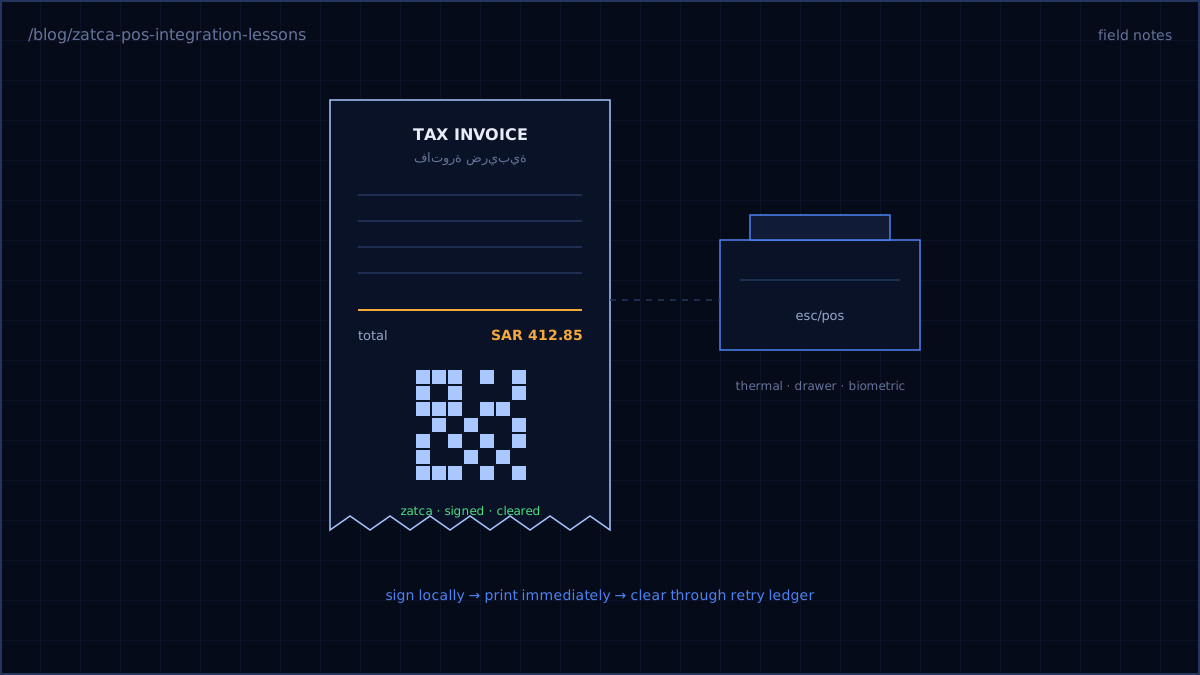
ZATCA — Saudi Arabia's tax authority — turned every receipt in the kingdom into a cryptographically signed legal document. If you build software for Saudi retail, Phase 2 of their e-invoicing mandate isn't optional, and the spec reads like it was written by people who enjoy XML. This is what shipping it actually took, inside Aorabooks — a multi-tenant cloud ERP I owned as TPM, where every tenant has its own certificates and its own invoice chain.
The compliance pipeline, minus the mystery
Phase 2 ("integration phase") means every invoice must be: rendered as UBL 2.1 XML, hashed into a chain with the previous invoice, digitally signed, encoded into a TLV QR payload for the receipt, and cleared through ZATCA's API. The sequence matters, and so does one design decision above all others:
The till must never wait for the tax authority.
ZATCA's clearance API will have outages. Your checkout queue will not accept "the government is down" as a reason to stop selling. Our rule: sign locally, print immediately with the QR, and run clearance through a retry ledger:
try {
    $response = $this->zatca->clearance($signed);
    $invoice->compliance()->create(['status' => 'cleared', ...]);
} catch (ZatcaUnavailable $e) {
    RetryClearance::dispatch($invoice)->backoff([60, 300, 900]);
    $invoice->compliance()->create(['status' => 'queued', 'qr' => $qr]);
}
Store the full artifact trail — the XML, the hash, the signature, the response — per invoice. When an auditor asks about an invoice from eight months ago, you answer from the ledger, not from prayer.
The hardware is the other half
A POS that only does compliance is a tax appliance. Ours had to drive thermal printers over ESC/POS, pop cash drawers (they trigger on the printer's circuit — fun fact you learn exactly once), and ingest punches from biometric attendance devices.
Hardware lessons, in the order they cost us time:
- Printers jam at peak hours, statistically. Every print job needs a retry path and a "reprint last receipt" button the cashier can find in under two seconds.
- ESC/POS is a dialect, not a standard. The same byte sequence renders differently across printer brands. Abstract the command layer per printer profile and test on the actual hardware the client owns, not the one in your office.
- Offline is the default, not the edge case. Shop networks drop constantly. The front-end runs as an offline-capable app with a local sale queue that syncs when connectivity returns. Compliance artifacts queue the same way.
What I'd tell past me
Treat ZATCA as its own bounded service with its own queue, its own retry policy, and its own audit storage — not as code sprinkled through your sales flow. Buy the test devices early. And put the compliance deadline on the project plan as a hard wall, because the fine schedule certainly treats it as one.
Every receipt leaves the printer signed and QR-coded, clearance survives the API's bad days, and checkout speed never moved. The retailers noticed the last part most — which is exactly how it should be.